

Button State
You can create 1-state, 2-state, 3-state and 3-state toggle buttons using Vista Buttons. 1-state buttons are simple static image buttons. 2-state buttons respond to mouseOver event creating rollover effect. Mouse click doesn't change the button appearance. 3-state buttons support both mouseOver and mouseClick event. 3-state toggle buttons additionally stick in the pressed state after a click.
Help And Support Look N FeelSize
You can set the size of the menu in pixels.
Button Maker Download XPEasy to Use
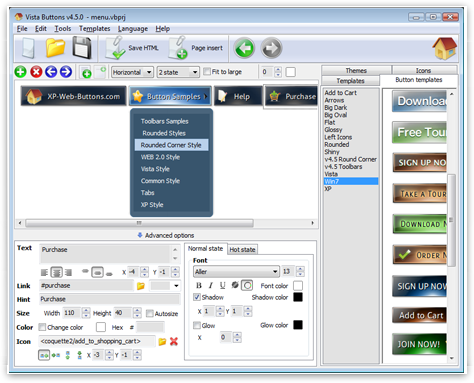
With Vista Web Buttons clear and comprehensible interface, you need just 4 simple steps to get your web buttons or html menu ready and if you use a pre-designed sample as a base you'll end up even faster!
Website Button SilverReady to use button templates and submenus themes.
In the Themes toolbox you can choose selected buttons and submenu themes for web appearance.
Windows XP Start Button Theme
Menu Template:
Html Rollover Buttons Orange Glossy - Rounded


 |  |  |  |
Button
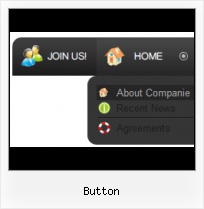
This menu is generated by Vista Buttons.
Create your own menu now!

Button Screenshots
Menu, Button, and Icon Collection
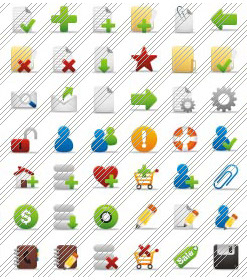
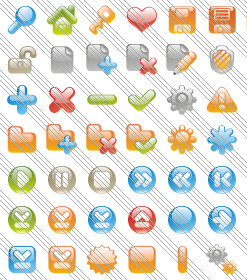
Vista Buttons provides huge collection of 1400 web buttons, 6600 icons, 300 ready-made samples, so you'll create really nice looking menus and buttons with little or nodesign skills at all! Web 2.0, Mac, iPhone, Aqua buttons, Vista, XP, transparent, round, glossy, metallic, 3d, tab menus, drop down menus will be a breeze!Button and Icon Samples

How to Use Vista Buttons Menu Generator
- Let's assign text to the web menu buttons. Select first web button by clicking it and then enter text in the "Text" field on the Properties toolbox. You will see that, as you enter the text, the selected button's text will change too.
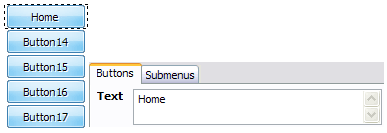
Then select next web button with click. Enter its text and so on. After finishing, the menu will look like this: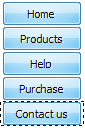
- Now let's add some icons. Select button and then click the "Open icon" button on the "Normal state" tab of the Properties toolbox.

"Open" dialog will appear, where you can choose an icon. Other way to assign an icon is to type its full path and name in the "Icon" field ("c:\myicons\stylish_3\pretty.ico", for example). Repeat this for each menu button. You should get something like this in result: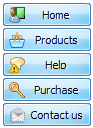
- Let's change icons' position inside the buttons. To do it you should select all buttons by clicking on the first button, then pressing the Shift key, and then clicking the last web button while still holding the Shift key. You can also press "Ctrl + A" to select all buttons. Then click one of the "Icon Align" buttons on the "Normal State" tab on the Properties toolbox.

You will see that icons are aligned in the selected way now. In this example we choose Top icon align.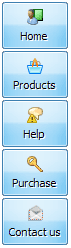
- Now let's add text shadow to buttons when button in hot state. Select all buttons as described in the previous step and then set the "Shadow" checkbox on the "Hot state" tab of the Properties toolbox.
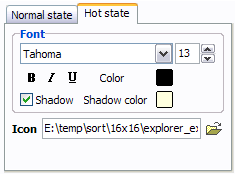
Now, when you point mouse at the menu button, shadow will appear under the button text like in the "Products" button of the following example: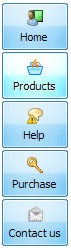
- Let's change the menu theme. To do it just select theme you like in the themes list on the buttons editor toolbox. Then you can browse this theme's button backgrounds. Note, that button backgrounds are previewable. You can look at their behavior while choosing. Just point mouse at it, click it to know how web button will react.
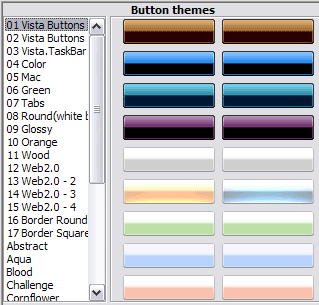
When you find a button background you like, double-click it to apply. For example, after choosing one of the "01 Vista Buttons" theme's backgrounds, we'll get following results:
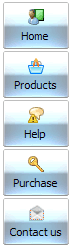
- Tune menu parameters manually or using Vista Buttons GUI interface. Then insert html code into the existing HTML page using GUI interface - your menu is ready! Save your current project in the project file (*.xwb) and continue to work with it later Save menu buttons' images as GIF, JPEG, PNG files.
Support
Please contact Customer Support at (please include template name in the message title)
FAQ
- "..Isn't there a way to insert two different website menus saved as different projects into one webpage at different locations?"
- ".. I want to clone one of your vista button, make some changes, and save the changed button to a new theme and I'm having trouble figuring out how to do that." Gallery For Save Button
- ".. Is there a way to add images to the image collection of the button software?
- "..The submenu of a menu buttons do not appear in front of a flash movie, it is allways under it. "
- "..I want the web page navigation bar in the top frame but the sub menus to appear in the bottom frame."
- "..Please provide step by step instructions on how to create and add a button for a buttons websites menu."
Button Popular Templates
Button Recommended by:

Button Awards




Button Template of Day